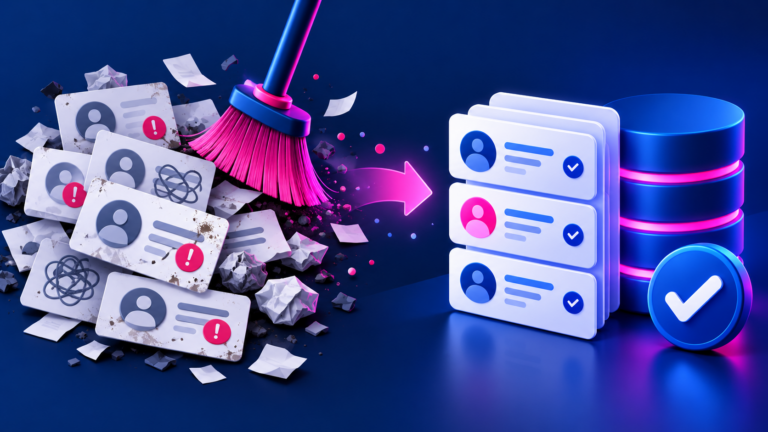

Lead intake often fails in the handoff: a form arrives, someone copies details into a CRM, a follow-up is forgotten, and the sales context gets lost. AI can help classify and summarise enquiries, but the workflow should remain understandable, reviewable, and connected to the team’s actual process.
Map the journey before automating
Document where a lead enters, what information is required, who owns it, and what action should happen next. Remove duplicate fields and decide which values are allowed before adding AI.
- Define required contact and consent information.
- Create clear lead stages and owners.
- Separate routing decisions from free-form summaries.
Use AI where it adds context
AI can extract a service need, summarise a long enquiry, suggest a category, and draft a first response. Use deterministic rules for essentials such as required fields, assignment, notifications, and duplicate checks.
- Keep a human review step for uncertain or high-value leads.
- Record the source and confidence of extracted fields.
- Avoid sending sensitive data to an unapproved tool.
Measure the handoff
Digital Allo’s AI workflow automation and AI lead generation services can be designed around the CRM and forms you already use. Track speed to first response, routing accuracy, duplicate rate, and follow-up completion.
- Start with one intake source.
- Test edge cases before enabling automatic updates.
- Keep a rollback path for incorrect records.
What an intake workflow looks like
- Capture: the web form, email or call summary arrives with a source and timestamp.
- Check: rules confirm required fields, consent and whether the contact already exists.
- Enrich: AI summarises the request and suggests a service category with a confidence level.
- Route: rules assign an owner based on service, location or value.
- Record: the CRM is updated and the owner is notified.
- Review: low-confidence or high-value leads go to a person before any automated reply.
Which steps use rules and which use AI?
| Step | Use rules for | Use AI for |
|---|---|---|
| Required fields and consent | Always | Never |
| Duplicate checks | Matching email, phone or company | Suggesting possible matches for review |
| Categorising the request | Simple keyword routes | Free-text messages that do not fit a dropdown |
| Summaries | Not suitable | Short summaries of long enquiries |
| First reply | Standard acknowledgements | Drafts that a person approves |
Example scenario (illustrative)
A home-services company receives enquiries from its website form, a shared email inbox and phone calls. Today, an office administrator copies each one into the CRM at the end of the day. A workflow could create the CRM record immediately, add a two-line AI summary, and assign it by service type. The administrator now reviews flagged records instead of retyping every enquiry.
A practical starting point
- Clean the data model first.
- Use rules for control and AI for context.
- Measure handoff quality and correct errors quickly.
Frequently asked questions
Can AI update every CRM field?
It should only write to fields with clear definitions and validation. High-impact changes should remain reviewable.
What if the same lead submits twice?
Use deterministic duplicate checks and a documented merge or follow-up process.
Which CRMs can this work with?
Most popular CRMs, such as HubSpot, Zoho, Salesforce and Pipedrive, offer integrations. The right approach depends on your plan level, fields and the tools already connected.
Further reading
- Office of the Privacy Commissioner of Canada: Consent
- Statistics Canada: AI use by Canadian businesses
How Digital Allo can help
Digital Allo builds CRM workflow automation and CRM integrations around the forms and systems you already use. Show us how enquiries reach you today and we will map the first workflow.